How to Find High-Performing Facebook Ads Keywords

When people say Facebook ads keywords, they usually mean the inputs you give Meta. These help Meta decide who should see your ads and why they should care.
Facebook isn’t a search engine, so you don’t bid on keywords like Google. But the keyword mindset still matters because it shapes targeting, creative, and the signals Meta uses to predict performance.
This guide covers the full workflow. From understanding what keywords actually mean on Meta, to free research methods. And also, how to validate your targeting ideas with real ecommerce performance data.
Why Facebook ads keywords are really interests, behaviors, and topics
On Facebook, a keyword is basically a word or phrase that tells Facebook who to show your ads to. Usually through interests, behaviors, and demographics. A single seed term can open up practical targeting options:
For the keyword “email marketing,” Facebook might suggest interests like Mailchimp, HubSpot, or marketing automation tools.
For “fitness,” you may find related interests such as workout apps, gym memberships, or fitness influencers.
The goal isn’t that “email marketing” is targetable the same way as on Google. Instead, it's a topic Meta links to groups of people, and you reach those groups through Detailed Targeting.
Advertisers who ignore keywords on Facebook often lose opportunities. One dataset shows that ad relevance scores can improve when copy, visuals, and targeting align with keyword intent.
Using keyword thinking in audience targeting can also lead to lower CPMs compared to relying on demographics alone.
The key is not “keyword targeting,” but aligning intent.
Think of a keyword on Meta as a translator. It converts your product into the platform’s categories and then into the user’s language.
Where Facebook ads keywords show up
Most teams only look for keywords in the targeting box. That approach limits options because keywords appear in multiple places on Facebook. Consistency across them improves results.
Area | Keyword role |
|---|---|
Targeting | Keywords → interests & behaviors |
Creative | Headlines match keyword intent |
Audiences | Segment data by keyword topics |
Retargeting | Show ads based on what they searched/read |
Testing | Test keyword clusters vs each other |
Here is where keywords appear:
Audience targeting (Detailed Targeting):
You enter broad keyword themes, and Meta suggests interests and behaviors linked to those topics. This can reveal hidden interest pockets you might not find manually.
Ad copy and creative language:
Targeting gets you "in the room," but your words and visuals decide if people engage. Ads with keyword-optimized headlines can get higher CTR because they match what people care about. See real Facebook ad examples that convert.
A simple but often overlooked rule. If your targeting comes from a keyword cluster, the headline should sound like that cluster, not your brand manifesto.
Custom Audiences and Lookalikes based on keyword-shaped behavior:
This applies keyword thinking to your data. For example, segmenting an email list by interests or building audiences from pixel traffic on topic-specific pages. Building Lookalikes from these segments helps Meta find better matches. This method can boost conversion rates.
Retargeting segmentation by keyword or topic clusters:
If you have content or product education tied to topics, retarget based on what users consumed. Keyword-driven retargeting can deliver up to twice the ROI compared to generic retargeting. Because, the message matches why they engaged initially.
Testing (A/B) for continuous optimization:
Use keywords to test interest clusters, headline variations, and segmented audiences from related keywords. A/B testing keyword relevance can reduce CPC while keeping traffic quality.
What you can and cannot control in targeting
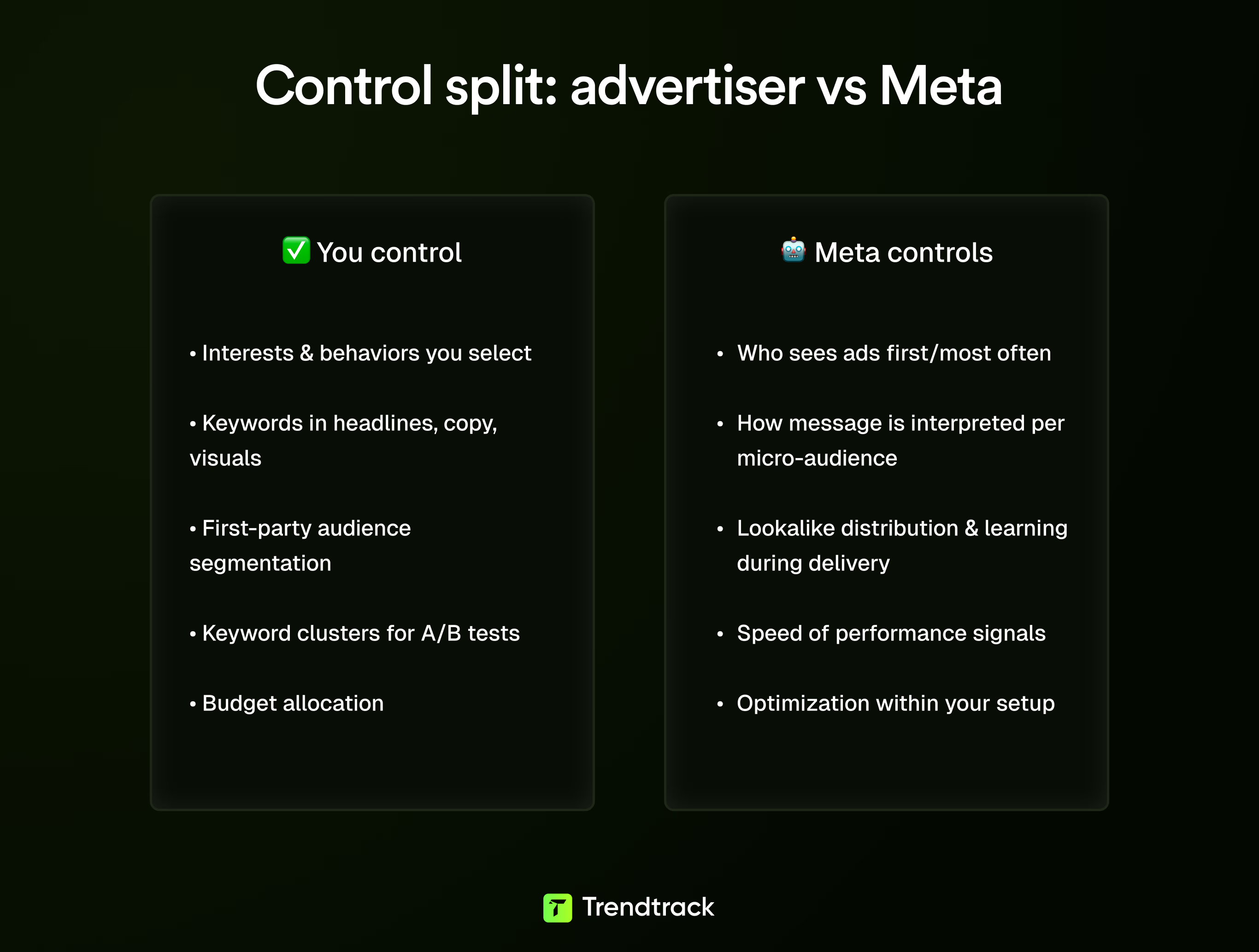
To launch campaigns confidently, you must separate what you control from what Meta controls. Otherwise, you spend time optimizing things outside your control. Here’s the breakdown:
Targeting setup: You choose the interests, behaviors, and demographics and how closely you group them. But Meta decides exactly who within that pool sees the ads first and most often.
Messaging: You select keywords and topics to emphasize in headlines, text, and visuals. Yet Meta interprets the message differently for each micro-audience.
First-party audiences: You decide how to segment lists, pixel audiences, and viewers based on topics. How Lookalikes distribute and learn during delivery is up to Meta.
Testing: You pick the keyword clusters for ad sets and allocate budgets. Whether an idea performs well quickly or needs more data depends on Meta.
Performance struggles often come from treating Facebook like a keyword auction. It isn’t. Your advantage comes from building clear keyword and topic inputs across targeting, copy, and segmentation. This structure makes it easier for Meta to find the right audience.
Put simply: control the structure to test ideas confidently, then let Meta optimize within that setup.
Facebook ads keyword research methods
If you come from Google Ads, Facebook keyword research feels different. Instead of hunting queries, you build audience hypotheses using interests, behaviors, and topics. Then, you test these hypotheses with creative and offers.
You can do much of this research with free tools, but it requires focus and a repeatable workflow. Rely on four free resources before spending any budget:
Meta Ad Library (to study competitor language and angles)
Meta Ads Manager (to expand audience ideas)
Google Trends (to check demand direction)
Long-tail clustering (to create tight, focused tests)
Facebook Ad Library
Meta’s Ad Library quickly shows what competitors are running right now. These include creatives, copy, and metadata like start dates and placement. This tool helps when Facebook ads keywords feel vague. Instead of guessing interests, you reverse-engineer the words and angles brands repeat.
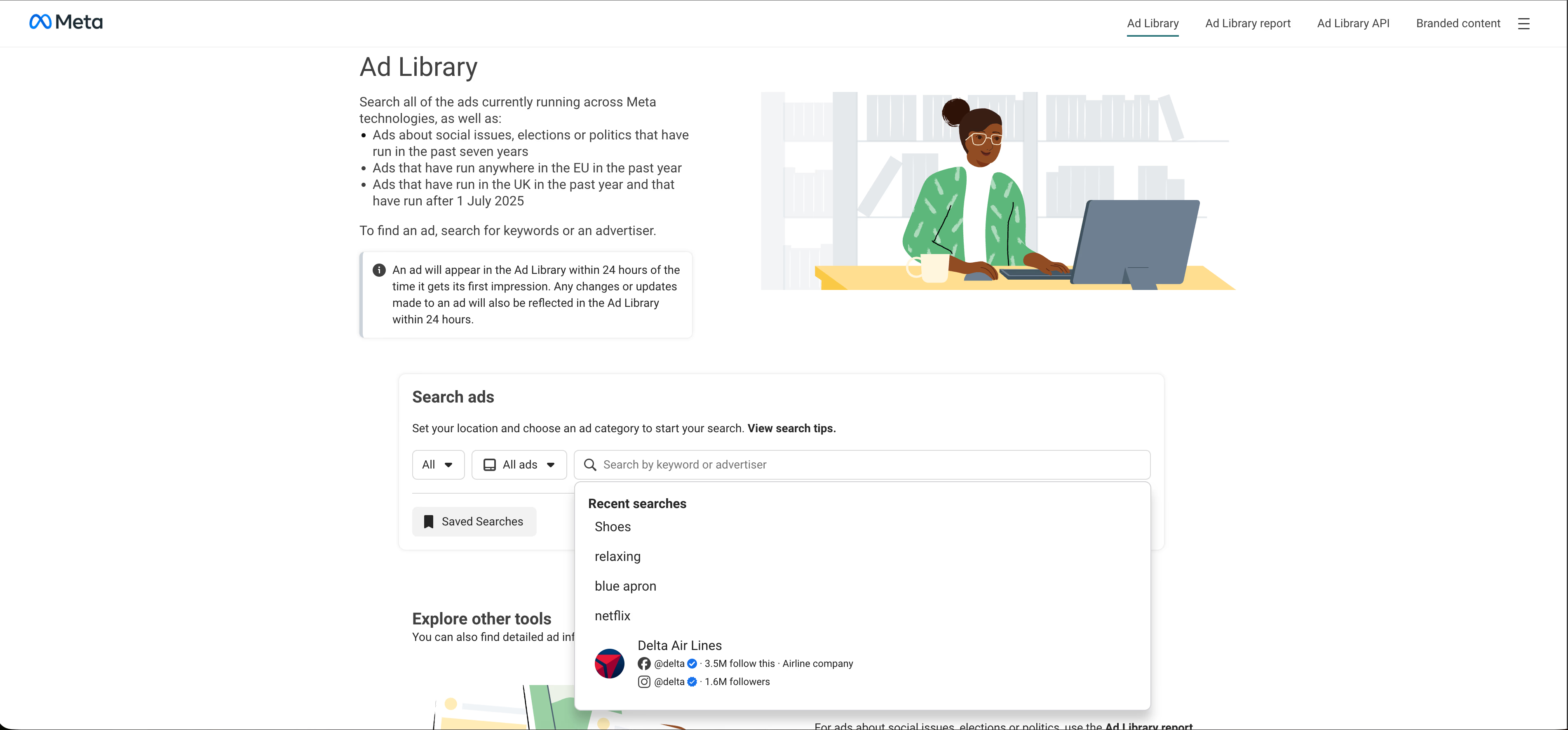
How to use it for keyword research in 10 minutes:
Visit https://www.facebook.com/ads/library. No account needed for basic access.
Meta updates the database every 24 to 48 hours, offering near real-time insights.
Set filters first, select your country and choose All Ads for ecommerce research.
Search in three ways:
Brand names of direct competitors to see current messaging.
Category phrases that describe your product plainly.
Exact phrases by using quotes to find specific hooks like guarantees or pain points.
Include inactive ads to learn from what didn’t work and identify the core angles behind long-running ads.
Check URLs for UTM parameters to understand campaign focus. Retargeting, prospecting, or offer push. Then map keyword clusters to funnel stages.
Keep in mind, the Ad Library doesn't provide performance metrics like click-through rates or ROAS. For a deeper guide on how to search Facebook ads effectively, check our complete walkthrough.
Meta Ads Manager
Once you gather language from the Ad Library, use Ads Manager to translate it into targetable inputs you can test. Create a draft ad set and use the targeting field as an idea expansion tool.
Start with seed terms from competitors such as product types, problems, niche descriptors, and adjacent categories.
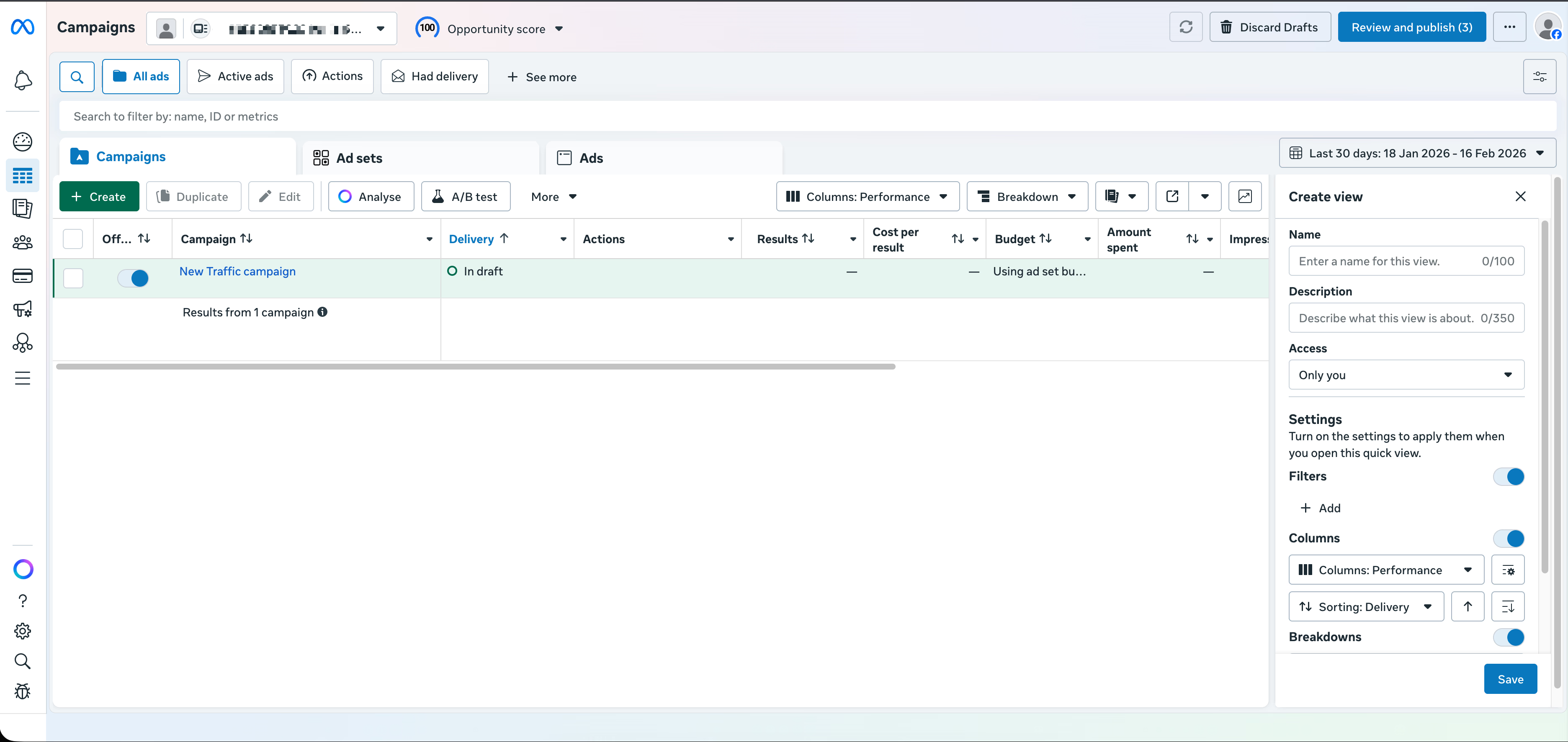
Look for:
Patterns: similar ideas framed 3 to 5 different ways
Specificity: terms showing clear intent, not general shopping interest
Coverage: enough audience size to test without being too broad and unfocused
Check demand and seasonality after compiling candidate interests to avoid testing trending terms.
Google Trends
Google Trends helps confirm market momentum. Use it not for precise forecasting but for directional insights. Instead of searching your product name, enter competitor phrases, hooks, or problem statements from ads. Markets often cluster around problems rather than product names.
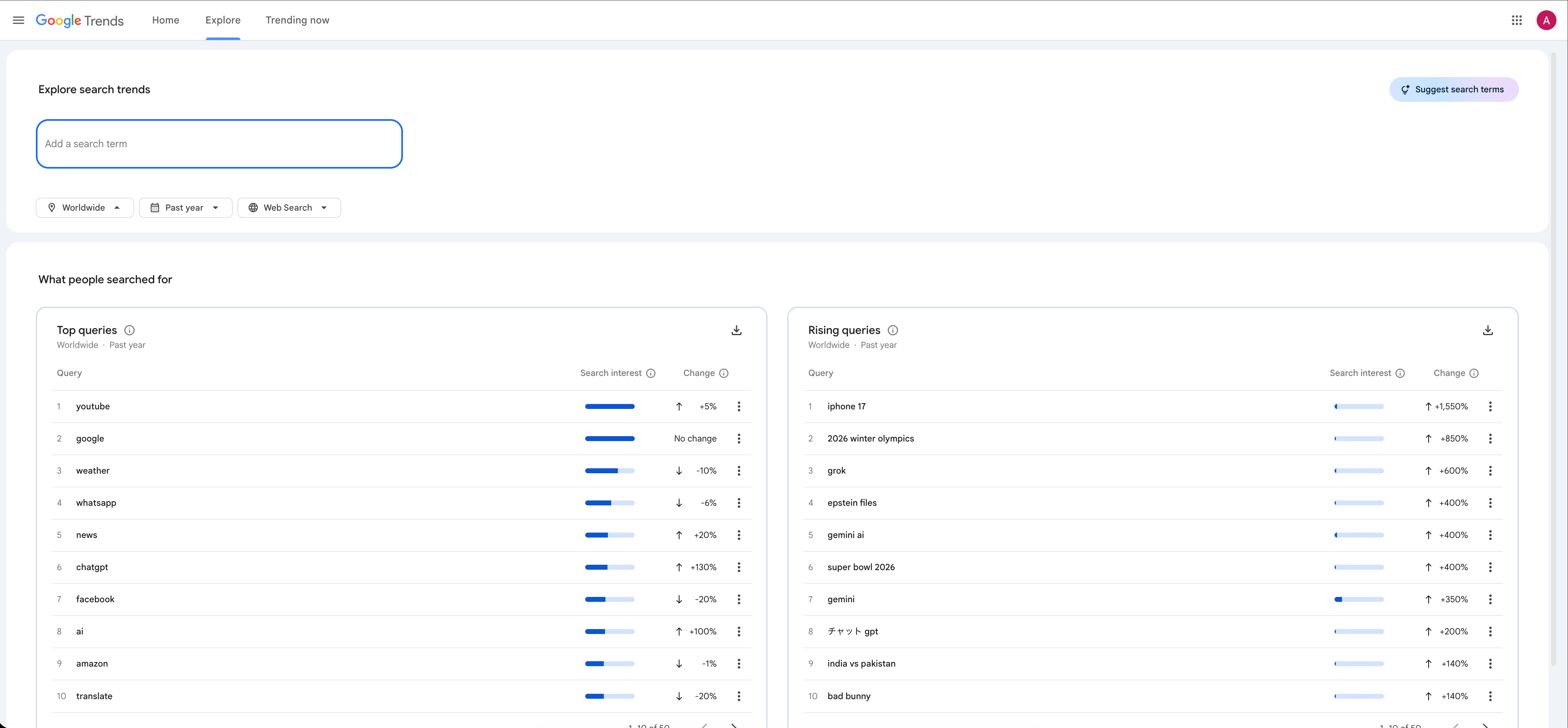
For example, broad terms like “ad”, “billboard”, and “marketing” have huge search volumes but vague intent. More specific phrases like “target ad” or “campaign” have lower volume but clearer intent.
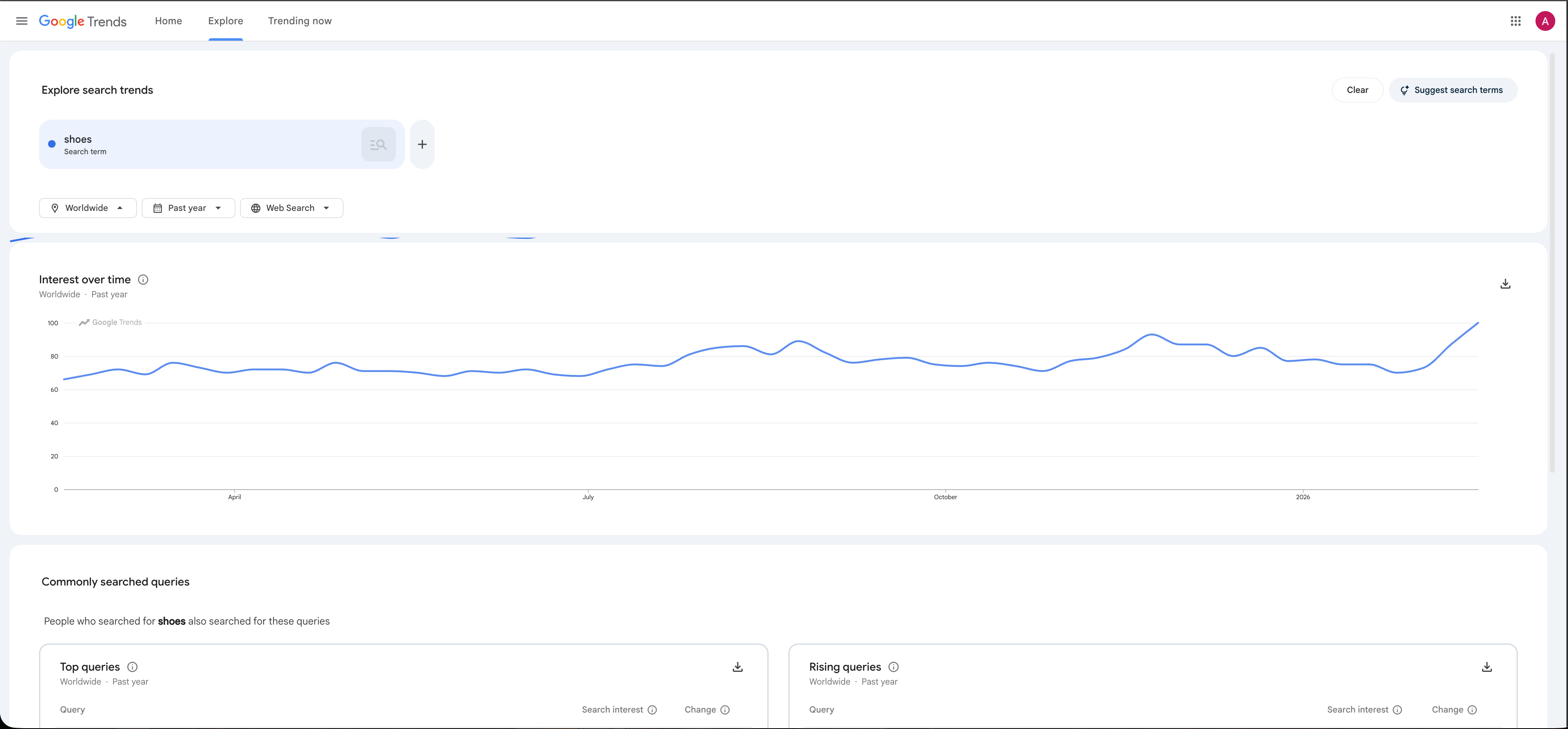
Use Google Trends to answer these questions:
Is interest in the niche rising, stable, or falling?
Are you facing seasonal spikes or dips?
Which wording does the market use consistently?
Combine your competitor language, platform targeting ideas, and demand trends into tightly focused clusters for efficient testing.
Build long-tail keyword clusters for focused intent and efficient tests
Many Facebook targeting failures happen because ad sets try to test too many interests, angles, and offers at once. This leads to confusion about what works. Instead, build long-tail clusters. Small groups of related keywords that share the same intent. Here’s how:
Choose one competitor angle from the Ad Library, like guarantee framing, pain-point callout, testimonials, or bundle emphasis.
Write a cluster of 5 to 15 related targeting terms matching that angle for internal consistency. For example:
A problem/solution ad targets a problem-aware audience
A status/brand ad targets identity or taste
Name each cluster as a hypothesis, such as “Back pain relief shoppers,” instead of generic labels like “Interest stack 3.”
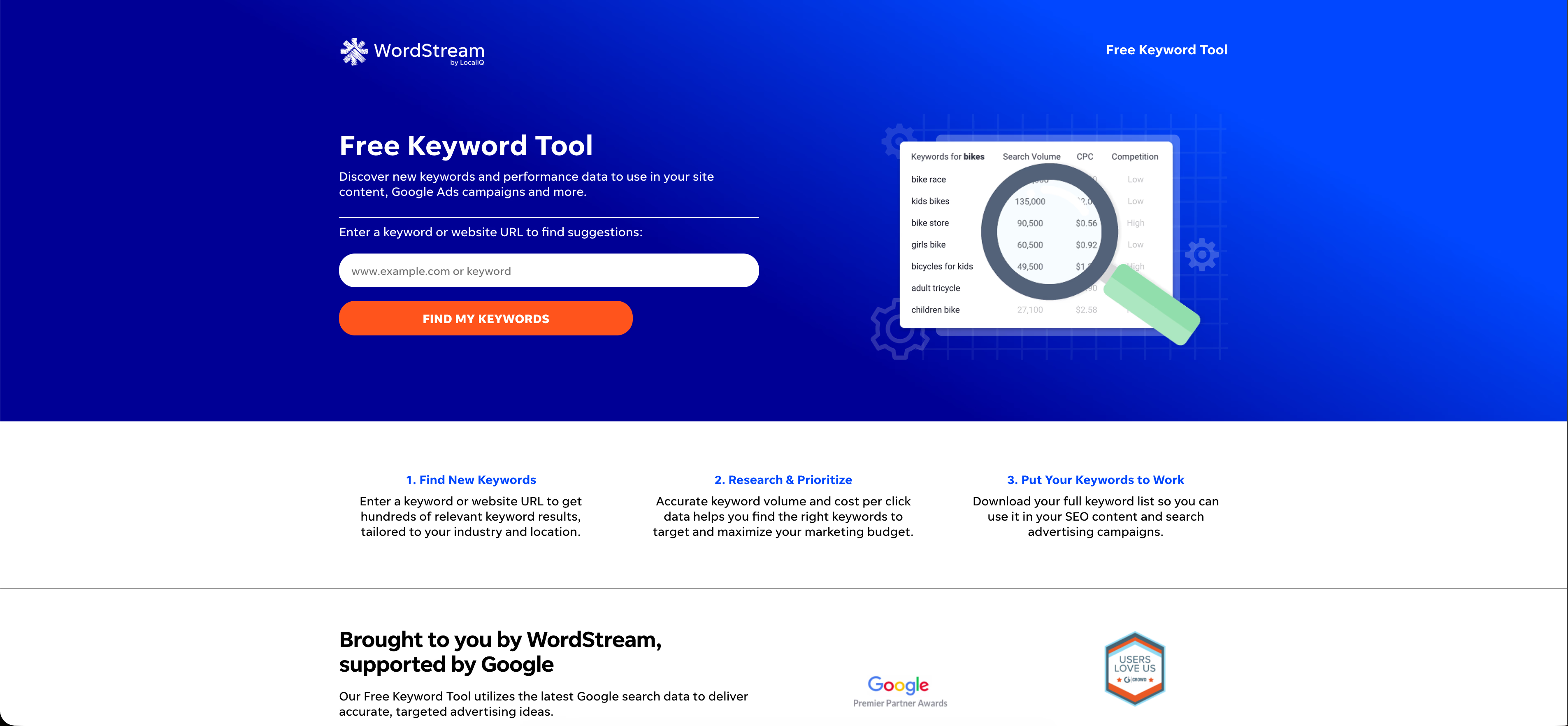
Add copy prompts to guide your creative team quickly. Free tools like AnswerThePublic, Ubersuggest, and WordStream help generate ad copy ideas.
This method turns targeting into a repeatable system: audience hypothesis → angle → words → creative prompts → clean test. To execute quickly:
Use Meta Ad Library to capture language patterns with filters and exact-phrase searches.
Use Ads Manager to convert those patterns into testable audiences.
Use Google Trends to check if the niche or phrasing is growing or fading.
Package all findings into long-tail clusters so each test has clear intent and measurable results.
Step-by-step finding high-performing keywords
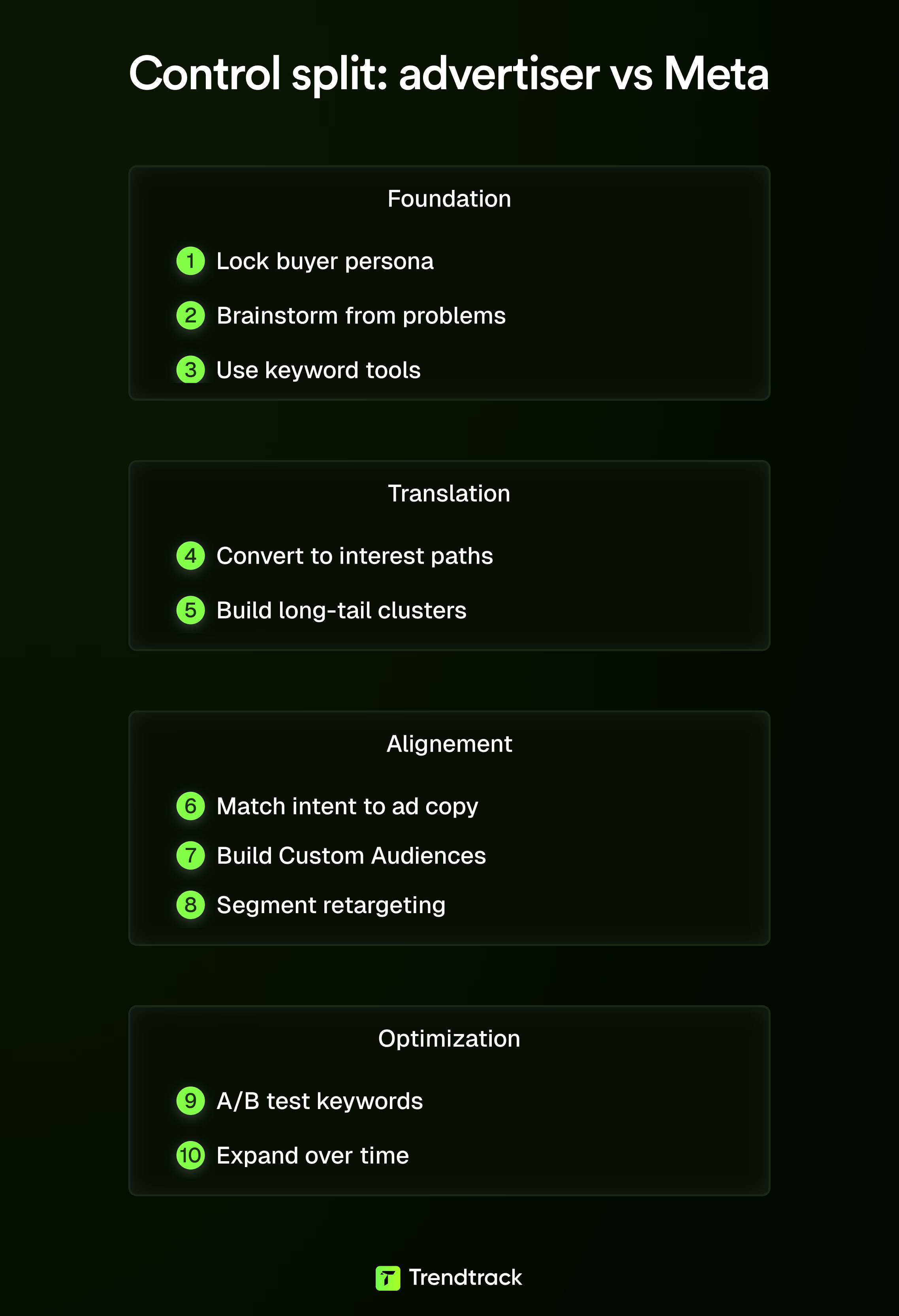
Facebook ads keywords is essentially a translation task. You take the words buyers use and the intent behind them. Then, turn those into interests, behaviors, audiences, and ad messaging that Meta can optimize.
Treating this like old-school SEO leads to a giant spreadsheet and weak tests. Treating it as intent mapping results in tighter ad sets, clearer learnings, and faster iteration.
This process works every time you launch a new product, angle, or segment. Without spending weeks on research.
Step 1: lock your buyer persona before you start targeting
Keyword research on Meta fails if you don’t know who the keyword represents. Start by writing a simple buyer persona that includes:
Demographics like age, location, and income level
Psychographics such as values, lifestyle, and pain points
Their beliefs right before they buy (the “pre-purchase story”)
Use this persona as a filter to decide whether a keyword cluster is useful or just noise. Without it, you’ll find 200 interests that won’t convert.
Knowing your buyer persona is essential to filter out irrelevant keywords and focus on what drives conversions.
Step 2: brainstorm keywords from products and problems, not features
Build your initial keyword bank in two directions:
Product language: names of your category, ingredients, materials, or use cases
Problem language: what someone would type or say when seeking the outcome your product provides
Many ecommerce teams stick to product language, but problem language reveals intent. Intent simplifies creative, landing page alignment, and retargeting.
At this stage, prioritize volume over accuracy, keep it messy. Focusing on problem language captures real buyer intent, improving all downstream marketing efforts.
Step 3: use keyword tools to expand and sanity-check your list
Brainstorming starts the process, tools help steer it. Recommended tools from the knowledge base include:
For Facebook targeting: Trendtrack
For ad copy ideas: Trendtrack, AnswerThePublic and Ubersuggest
For niche discovery: Trendtrack, Google Trends
For free keyword generation: WordStream
The goal isn’t to find the perfect keyword but to generate variations you can convert into:
Detailed targeting ideas like interests, brands, creators, or tools
Ad copy phrases that sound like customers
Long-tail clusters for clean testing
Use keyword tools to uncover variations that align with your audience’s language and intent.
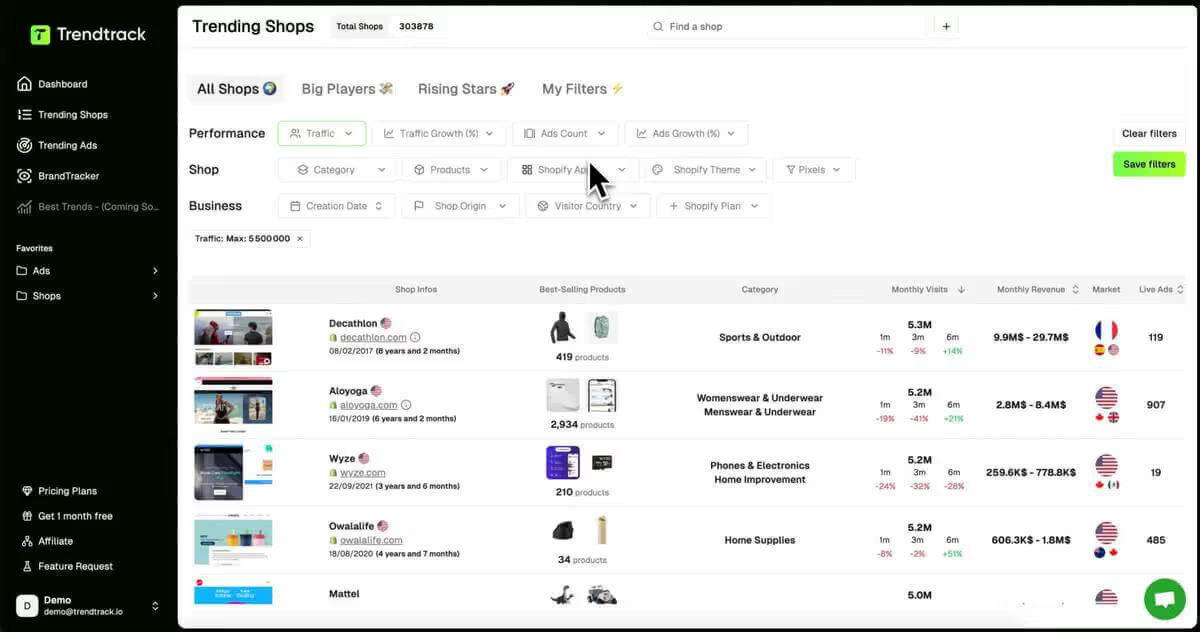
Analyze High-Performing Ads
Study what makes ads successful. Filter by spend, format, and even pixel setups to find winning ad creative that you can adapt for your business.

Step 4: convert raw keywords into interest paths inside Meta
Most advertisers skip this step: use broad keywords as discovery prompts within Meta’s audience targeting.
For example:
“Email marketing” can lead to interests like Mailchimp, HubSpot, or marketing automation
“Fitness” can lead to workout apps, gym memberships, or fitness influencers
Type broad concepts in Meta to reveal related interest clusters. You aren’t searching for one interest but mapping an entire neighborhood.
This uncovers hidden interests absent from your brainstorm and sharpens intent.
Exploring Meta’s interest graph reveals valuable, targeted audience segments tied to your keywords.
Step 5: build long-tail keyword clusters (3–5 words) to tighten intent
Broad keywords mix many buyer types and cost more to learn from. Long-tail keywords narrow the story. These typically have 3–5 words and signal higher intent because buyers are further along in the decision.
On Meta, translate long-tail phrases into:
More specific interests
Targeted creative angles
Cleaner segmentation for retargeting
Instead of testing a broad “Skincare” bucket, you test micro-intents for better efficiency. Long-tail clusters reduce competition and improve targeting precision.
Step 6: match keyword intent to your ad copy and creative for tighter alignment
Meta’s algorithm predicts whether a person will engage with an ad. When your targeting, copy, and visuals share the same intent, you help the algorithm perform better. Performance benefits include:
Improvement in ad relevance scores
Higher click-through rates with keyword-optimized headlines
Lower CPMs compared to targeting by demographics alone. Not sure how much to spend? Learn how to calculate Facebook ads budget based on your ROAS goals.
Place keywords strategically in:
Headlines reflecting the intent phrase
Descriptions continuing the same story
Visual text overlays reinforcing the promise
Generic targeting with generic copy wastes spend. Tailored ads make customers feel the message was created for their exact needs. Aligning all ad elements to keyword intent significantly boosts engagement and lowers costs.
Step 7: build keyword-based Custom Audiences and Lookalikes
This step turns keywords from ideas into targeting assets. The workflow includes:
Segmenting your customer list by the interests or intents they showed
Creating Custom Audiences from pixel data on keyword-intent pages (blogs or landing pages)
Generating Lookalikes from these segmented audiences
This feeds Meta clearer, context-rich signals. Conversion rates often improve with this approach. Keyword-driven Custom Audiences deliver higher conversion rates by providing the algorithm with better context.
Step 8: segment retargeting by keyword cluster to avoid generic messaging
Generic retargeting wastes budget by showing the same ads to everyone. Instead, tailor retargeting by keyword intent:
Someone interested in “social media automation” should see ads solving that specific problem, not the full product catalog.
Keyword-driven retargeting can double ROI compared to generic retargeting. Established brands can quickly boost performance by sequencing messages based on intent. Personalizing retargeting by keyword clusters unlocks much higher returns.
Step 9: test like a scientist: A/B test keywords in targeting and messaging
Most teams A/B test creatives but overlook targeting. A better approach tests the whole intent package: targeting plus messaging. This involves:
One ad set per keyword cluster (avoiding mixed concepts)
Clusters with closely related interests
Creative themes matching the cluster’s language
Key benefits from testing include:
Lower cost per click
Consistent traffic quality
Focus on metrics that matter: CTR, CPA, ROAS. Learn how to improve ROAS with proven tactics. A/B testing keywords in both targeting and copy improves efficiency and campaign clarity.
Step 10: expand your keyword list over time as the market evolves
Keyword research isn’t a one-time task. Your best angles change as your products, offers, and competitors shift. Keep a running keyword bank and add to it based on ongoing learnings like:
Which hooks generate clicks
Which audiences actually convert
Which angles lose traction quickly
This system helps you validate ideas without guessing because you store intent, not random interests. Continuously updating your keyword list maintains relevance and improves ad performance.
Validate Facebook ad keywords with real ecommerce performance data via Trendtrack
Facebook “keywords” like interests, behaviors, and topics are easy to brainstorm but hard to validate. You can create 50 audience ideas in an afternoon without knowing which ones connect to brands currently scaling.
Trendtrack closes this gap by making Facebook ads keyword research measurable. Instead of relying on impressions from the Ad Library alone, you connect targeting ideas to real ecommerce signals. These include store traffic, ad volume, ad longevity, and spend or reach data when available.
How Trendtrack complements Facebook ads keyword research
Meta’s Ad Library helps with creative and messaging exploration, but it doesn’t show which advertisers gain traction. Trendtrack bridges this blind spot by combining store context with ad activity:
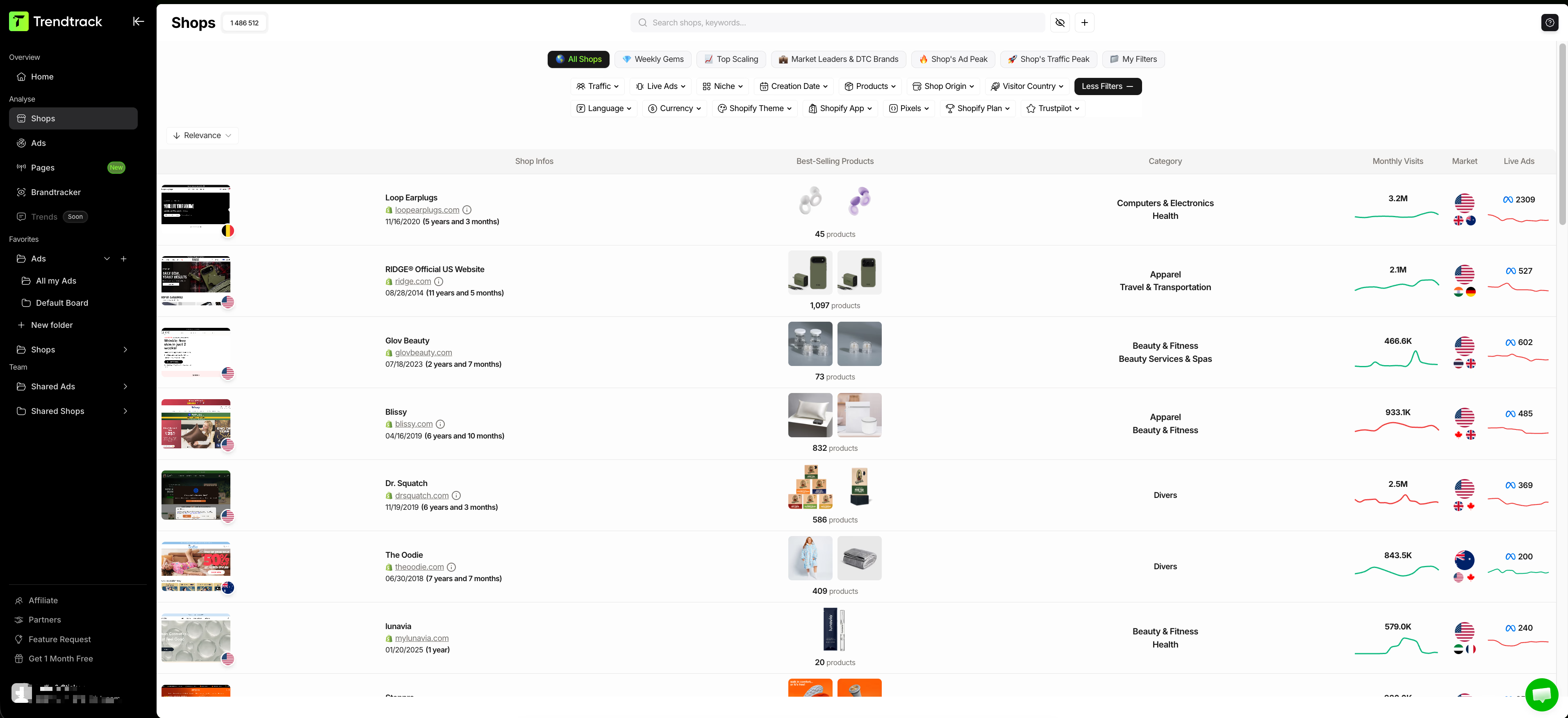
Shops displays a table of best-selling products, monthly visits, category, monthly revenue, market, and number of live ads. You can filter these based on performance and business signals.
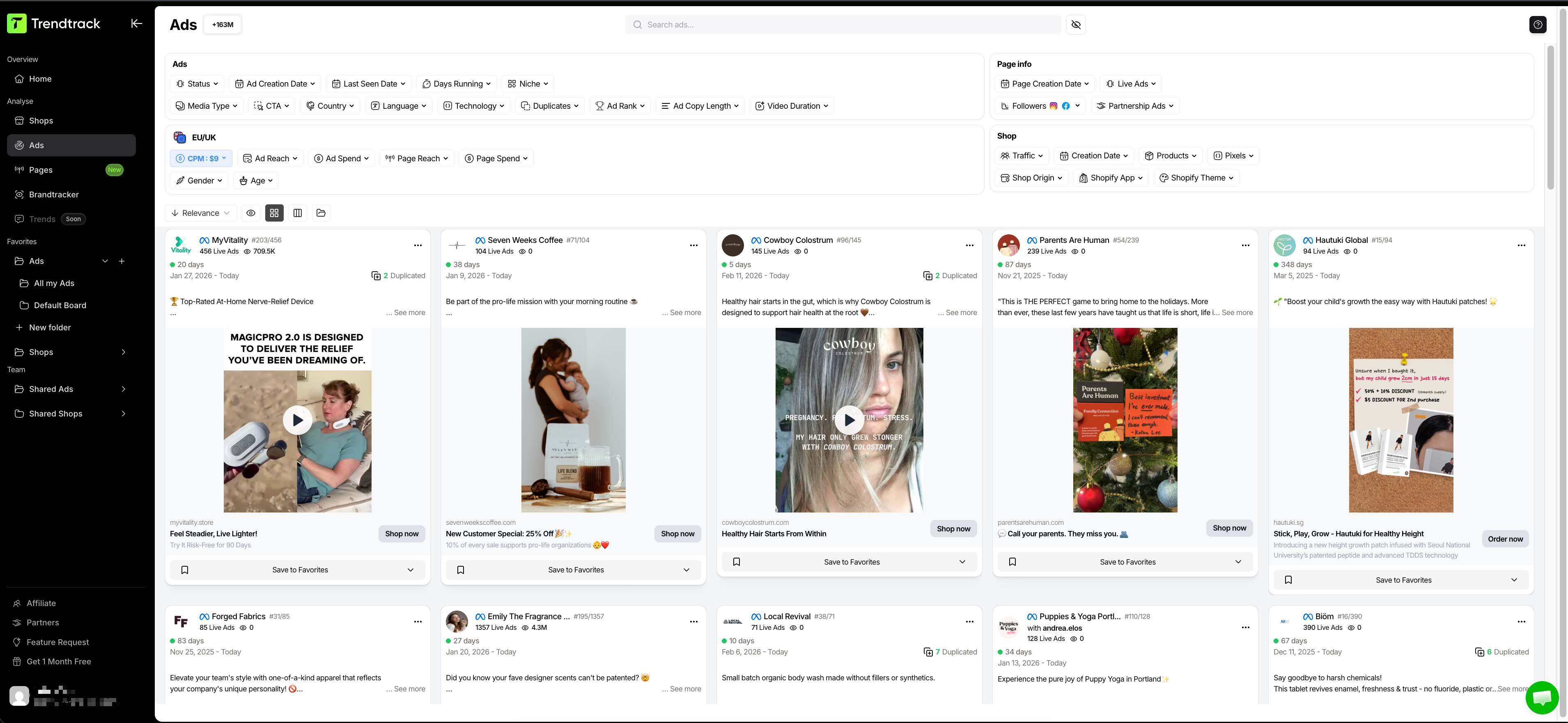
Ads lets you browse ads filtered by format, days running, duplicates, status, and category. It also shows page-level details like page creation date, followers/likes, and spend in the last 24 hours.
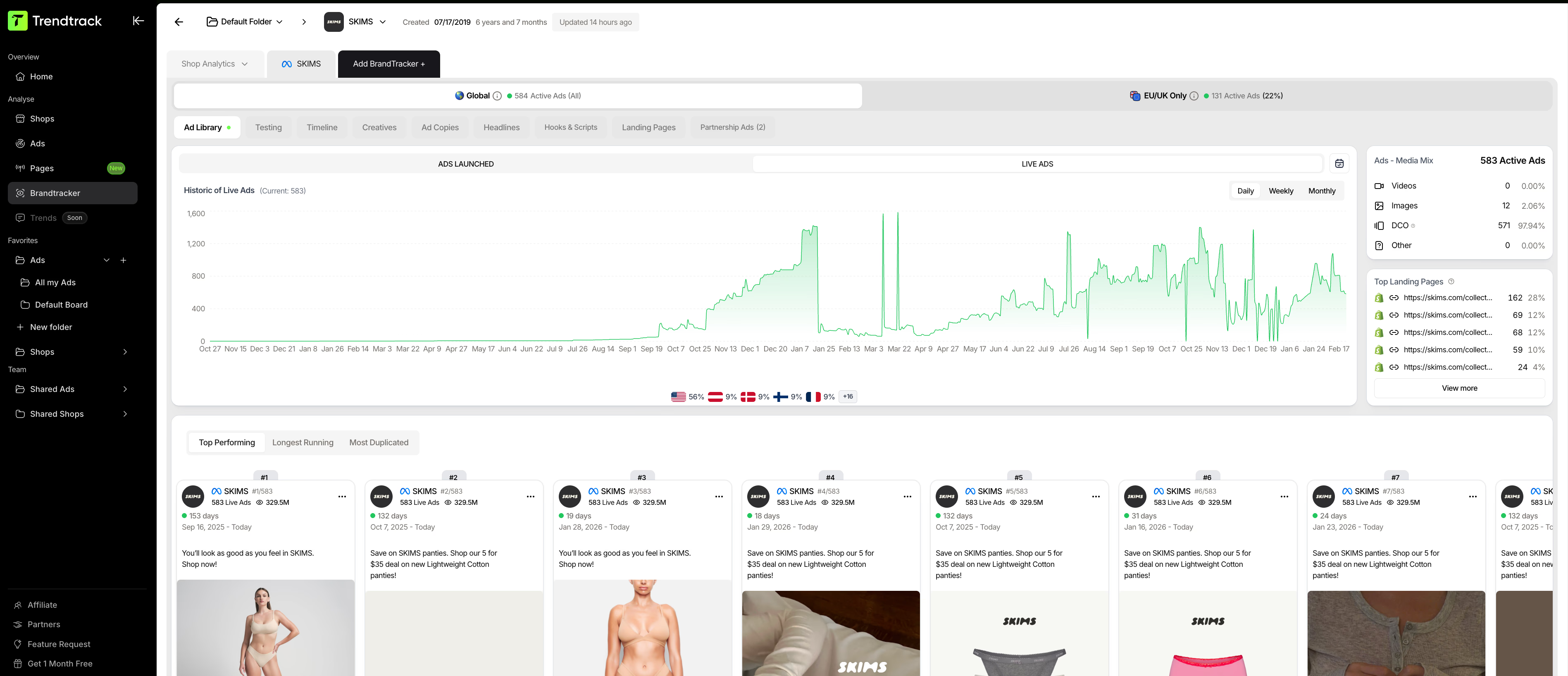
Brandtracker turns competitor research into a structured view. It pulls ad library data and displays testing results with winner badges. You get timelines, creatives you can download with one click, ad copies, and headlines. The tool also shows landing pages with live previews and identifies ecommerce tech.
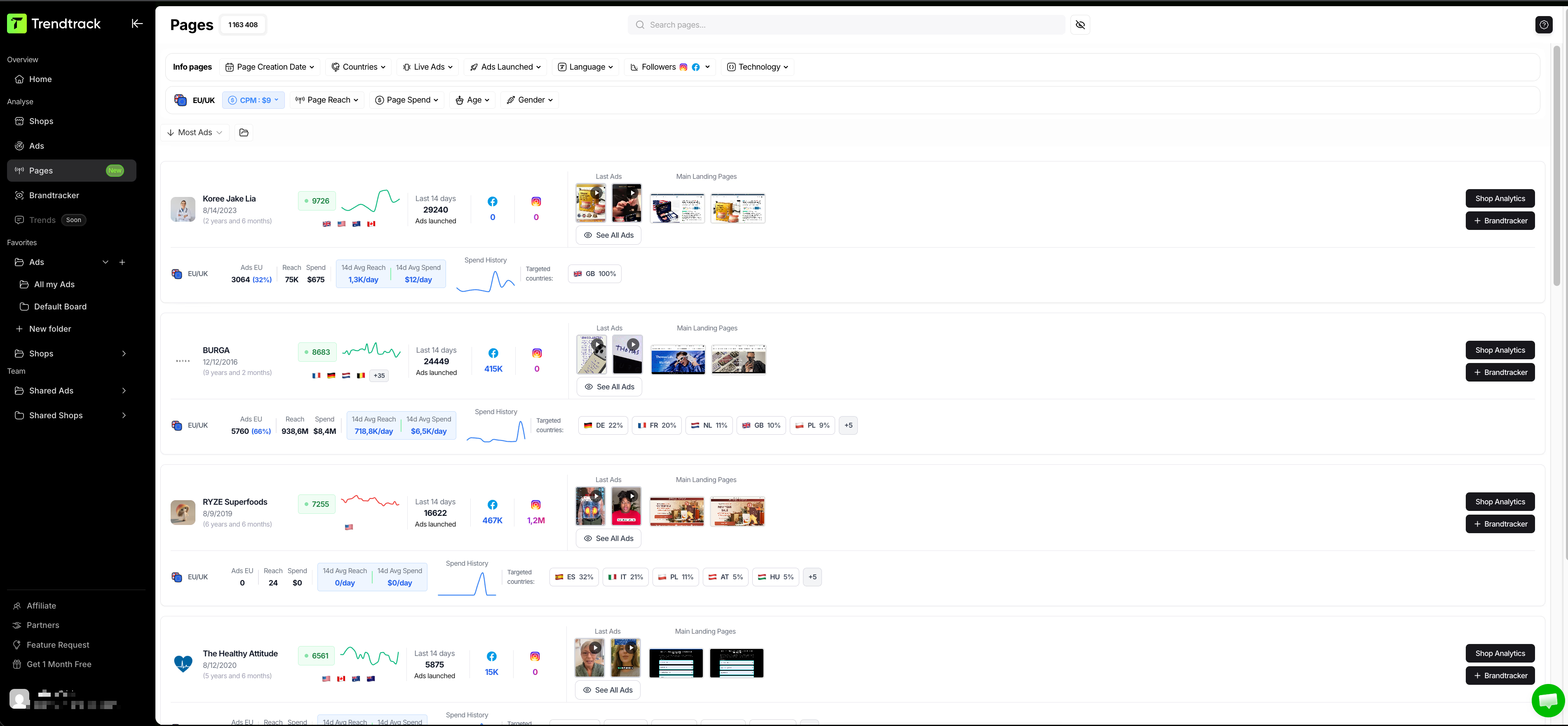
Pages shows advertiser pages with their active ads and recent creatives. You'll also see their landing pages, competitor ad spend trends, reach estimates, and targeted countries. This helps you quickly spot which advertisers are scaling, what funnels they're pushing. Also, where their traffic is being directed.
Instead of guessing which audiences will work, Trendtrack lets you validate ideas based on what is already scaling.
Stay Ahead of the Competition
In e-commerce, timing is everything. Spot emerging trends early and capitalize on them before the market gets saturated.
Build a competitor validation workflow
This workflow avoids turning competitor research into entertainment. For more detail, see our guide on how to track competitor Facebook ads:
Meta Ads Library for idea mining
Collect raw angles. Hooks, offers, formats, and messaging repeated across advertisers. You see creatives, copy, start dates, placements, and variations. But no business impact.
Trendtrack for proof and prioritization
Check if the store has meaningful monthly visits. Look at increasing ad pressure (ads count and ads growth). Verify the ads are running long enough (days running). Finally, examine testing patterns in Brandtracker like iteration timelines and duplicated creatives.
Testing with controlled experiments
Run clean tests with validated audience “keywords” derived from competitor messaging and product angles. Use:
The same offer with 2 to 3 audience clusters.
The same creative concept with multiple hooks based on what worked.
Landing pages aligned to winning competitors’ traffic destinations.
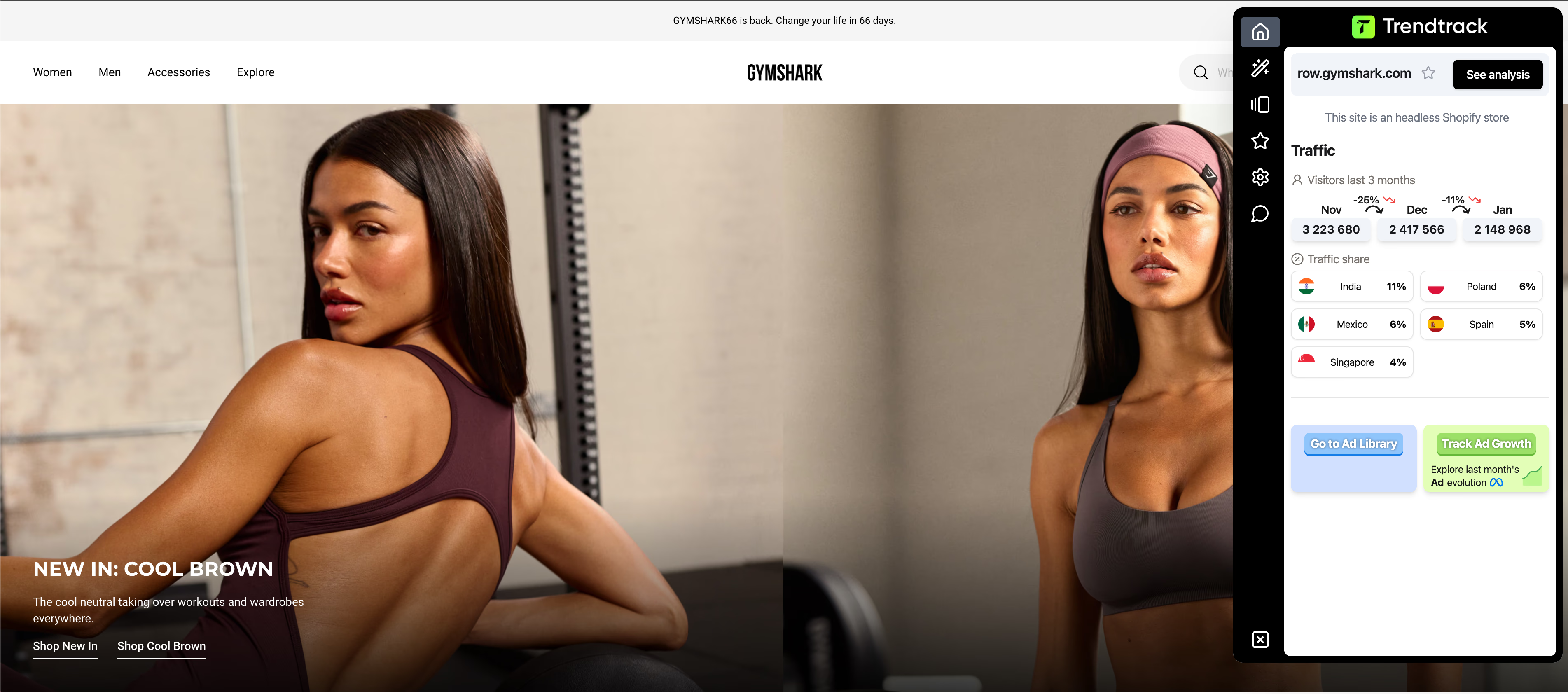
For faster daily research, use the Trendtrack Chrome extension. It shows active ads, themes, and app usage while browsing competitor sites without interrupting your flow.
Wrapping it up
Facebook ads keywords translate buyer intent into Meta's language through interests, behaviors, and Custom Audiences. Winning advertisers build keyword clusters around real customer problems.
They validate these clusters against competitors. Then they align targeting, creative, and landing pages to a single intent. Here's what to do:
Map one buyer persona's problems to 3–5 keyword clusters.
Use Meta Ad Library, Ads Manager, and Google Trends to expand your list.
Validate with Trendtrack to see which audiences actually convert.
Test systematically: one cluster per ad set with matched creative and clear metrics.
Keyword research on Facebook is ongoing. Build a system now to identify what resonates, and you'll stop guessing which audiences to target.


.avif)


Are you ready to get the insights?
From viral trends to million-dollar stores — unlock the insights behind what sells, scales, and converts. All in one place.